


.jpg)
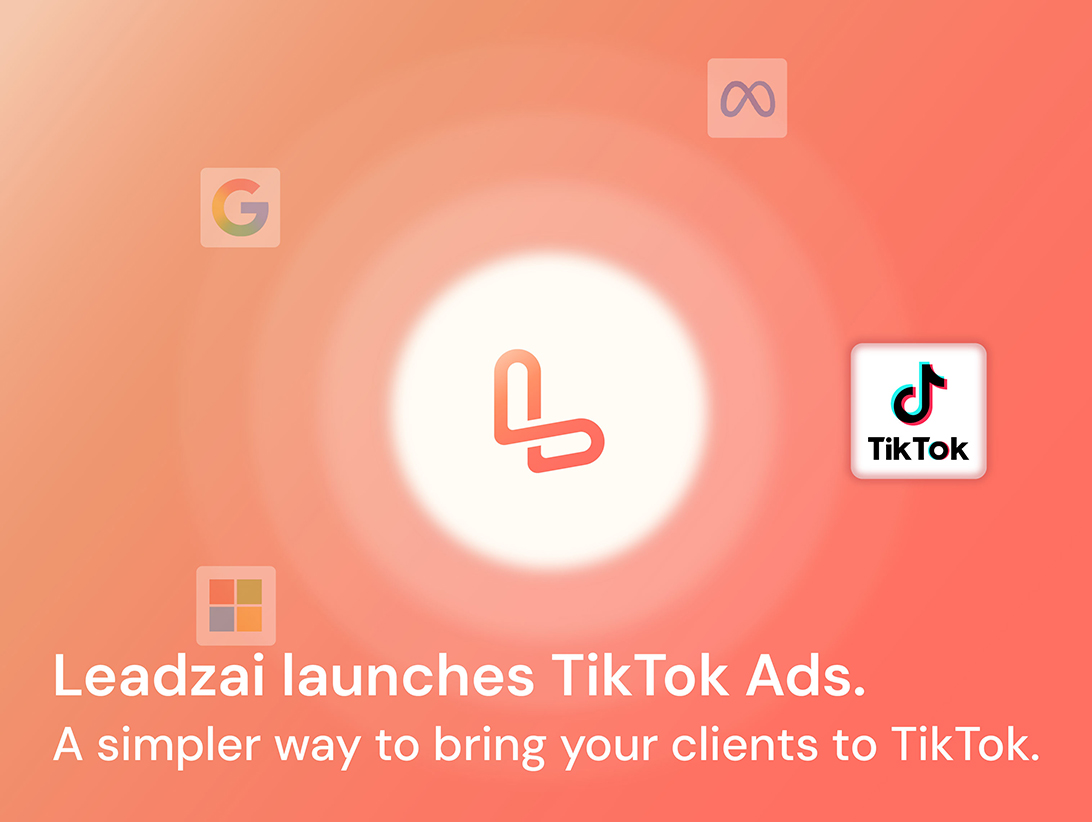
This month marks an exciting milestone for Leadzai, with TikTok now fully supported alongside Google, Microsoft, and Meta. Clients can reach engaged audiences with new ad formats, AI-assisted video creation through TikTok Symphony, and integrated performance data. This release also brings automatically generated audience interests for Performance Max, a new Reach metric for Meta, and dashboard improvements for faster, easier reporting.
List of new features and brief summary:
- TikTok Integration — A New Advertising Network — TikTok joins Google, Bing and Meta as a fully supported network on the Leadzai platform. You can now create, launch and manage TikTok campaigns end to end, giving your clients access to one of the highest-engagement environments in digital advertising:
- Two ad formats — Video Ads and Carousel Ads, created manually or autogenerated by the platform
- AI video creation with TikTok Symphony — turn a static image into a short animated video, without a production team or existing video assets. An optional prompt gives you control over how the image animates
- Full campaign setup — targeting by location, demographics and language, with budget validation aligned to TikTok's requirements
- Organic profile linking — connect the advertiser's verified TikTok account as the identity behind the ads
- Unified reporting — TikTok metrics appear in the campaign dashboard, with network and placement breakdowns
- Autogenerated Audience Interests for PMax — Google Audience Interests are now generated automatically as part of Asset Group content generation, so PMax campaigns launch with audience signals in place rather than requiring them to be added manually.
- New Metric: Meta Reach — Reach is now available as a metric in the Trends graph for Meta campaigns, showing how many unique users an ad was shown to.
- UX Improvements — Four updates that make everyday reporting views faster to work with and easier to read:
- Date range saved as a user setting - Save your preferred date range as a user setting, so dashboards open on the period you actually work with
- Ad Name and Total columns on the Ads and Ad Groups tabs
- - "Ad Name" and "Total" columns added to the Ads and Ad Groups tabs of the campaign dashboard
- Total column on Team Dashboard Campaign Performance - "Total" column added to Campaign Performance on the Team Dashboard
- Display Network status shown as plain text -Display Network status in the Campaigns table is now shown as plain text — "Included" or "Excluded" — instead of a status pill
Sneak Peek for September 2026
- TikTok: Continuous Evolution
- Improved video generation — Higher-quality AI-generated videos, with better use of the advertiser's own visual content
- Ad Scheduling — Control the days and hours your TikTok ads run, so budget is spent when your clients' audiences are most active
Please find more detail per update below.
Product Release Notes - August 2026
01. TikTok Integration: A New Advertising Network
Available: August 31, 2026 | Campaign Level — Network Integration
1. What is this and who is it for?
TikTok is now a supported advertising network on the Leadzai platform, alongside Google, Microsoft and Meta. This is for every partner whose clients want to reach audiences in a video-first, high-engagement environment — particularly SMBs targeting younger demographics, and advertisers whose products or services are visually demonstrable.
The integration covers the full campaign lifecycle: account setup and profile linking, ad creation and autogeneration, targeting, budgeting, delivery, and reporting — all managed from the same interface and workflows your teams already use for other networks. TikTok can be added to a multi-channel campaign or run on its own.
2. What changed, where will users see it and how does it work?
Supported ad formats
TikTok campaigns support two ad formats:
Single Video Ad — Vertical (9:16) is strongly recommended, with a minimum resolution of 540x960px. Videos can technically run up to 10 minutes, but 15 to 30 seconds is the recommended target: shorter videos hold attention and achieve higher completion rates, which drives better reach and lower costs. Each video requires exactly one cover image, which must match the video's aspect ratio.
Carousel Ad — Supports up to 35 images per ad. Video content is not supported inside carousels; music track is applied automatically by the platform.
Both formats can be autogenerated with Leadzai’s ACS, or created manually in the platform’s campaign creation flow.
AI video creation with TikTok Symphony
The platform integrates with TikTok Symphony so teams can produce native-feeling video content without a production team. A static image can be turned into a 5-second animated video directly in the platform: upload the image and Symphony generates the video. A prompt can optionally be added to guide the movement, and simple, single-action prompts work best. TikTok recommends using uncropped 9:16 images to avoid awkward cropping.
Targeting and budget
TikTok campaigns can be targeted by location, demographics (age and gender), and language. Through Leadzai's partnership with TikTok, campaigns can run with daily budgets below TikTok's standard minimums, making the channel accessible to SMBs. The Budget Estimator and budget validation are aligned with the applicable minimums, so campaigns are not built with budgets TikTok will reject. UTM parameters are applied automatically to ensure traffic and conversions are attributed correctly.
Organic profile linking and identity
Every TikTok ad requires an "identity" — the profile that appears as the face of the ad. Linking the advertiser's organic TikTok account is therefore a mandatory step. The platform generates a unique authorisation link, which the advertiser opens and logs into with their TikTok account to grant Leadzai permission to deliver ads on their behalf. Once linked, the advertiser's handle and avatar are used on the ads.
The organic account must be verified to be used as an identity. Linking also unlocks Spark Ads, allowing an existing high-performing organic post from the advertiser's profile to be boosted as an ad.
Reporting
TikTok clicks, impressions and conversions are integrated into the Leadzai Campaign Dashboard alongside all other networks, with performance data broken down by network and by placement. TikTok data is also included in Leadzai's automated Smart Reports emails, so client-facing reporting covers TikTok without any additional work.
3. How does this impact existing campaigns or setups?
No impact on existing campaigns or on any other network. TikTok is an additive capability: existing Google, Microsoft and Meta campaigns continue to run exactly as before, and nothing changes for advertisers who don't use TikTok.
4. How do users get access and where is it available?
Available from August 31, 2026 Because TikTok requires network-level account setup, activation is handled per partner — contact your dedicated Partner Manager to get your Business Center connected and TikTok enabled for your teams. Once activated, TikTok appears as a selectable network in the campaign creation flow, and the ad creation, targeting and reporting views are available to all user roles with campaign permissions.
02. Autogenerated Audience Interests for PMax
Available: August 10, 2026 | Campaign Level — Ad Management
1. What is this and who is it for?
This update is for service teams creating and refining Google Performance Max campaigns. In PMax, interests form part of the Audience Signals applied at Asset Group level. Those interests are now generated automatically as the Asset Group content is built, and are reviewed or adjusted in a new searchable view that works the same way as Meta Areas of Interest.
Audience signals help Google's Performance Max algorithm find the right users sooner, which matters most in a campaign's early learning phase.
2. What changed, where will users see it, and how does it work?
When PMax content is generated during campaign creation, Leadzai's content engine now also produces relevant audience interests for the Asset Group, based on the same analysis of the advertiser's website and business context used to generate the rest of the ad content. Campaigns therefore launch with audience signals already in place, with no additional step required.
These interests are shown in the Audiences step when creating or editing a campaign, which now uses the same interface as Meta Areas of Interest — including search. Interests can be found by typing their name rather than scrolling through the full list, making PMax interest selection as flexible and fast as the Meta equivalent.
3. How does this impact existing campaigns or setups?
No impact on existing campaigns. The generated interests apply only to newly created content during campaign creation or when content is regenerated — previously created Asset Groups are not modified. The new interests view for Google PMax is an interface-level change, available immediately on any PMax ad, on the audiences step in the campaign creation flow.
4. How do users get access, and where is it available?
Available from August 10, 2026 in the campaign creation flow, for all user roles with campaign edit permissions. No activation required.
03. New Metric: Meta Reach
Available: August 3, 2026 | Campaign Level — Reporting
1. What is this and who is it for?
This update is for service and sales teams analysing Meta campaign performance and sharing results with clients. Impressions tell you how many times an ad was shown; Reach tells you how many unique users it was shown to. Together they give a clearer picture of how broadly a campaign is actually landing, and how often the same people are seeing it.
2. What changed, where will users see it and how does it work?
Reach has been added as a selectable metric in the Trends graph in campaign-level reporting, appearing as the last option in the metric list. Once selected, it plots the number of unique users reached over the reporting period.
Two things to note about availability: Reach is a Meta metric, so it is only available for Meta campaigns and is not reported for Google or Microsoft. It is also only available in daily aggregation, which is how Meta provides the data.
3. How does this impact existing campaigns or setups?
No impact on campaign delivery, settings or existing reports. This is an additional metric that becomes available on Meta campaigns automatically — nothing needs to be enabled.
4. How do users get access and where is it available?
Available from August 3, 2026 in the Trends graph in the campaign dashboard reporting. No activation required.
04. Dashboard & UX Improvements
Available: August 31, 2026 | Campaign & Team Level — Reporting & Usability Enhancements
1. What is this and who is it for?
Four updates for service and sales teams working in the dashboards and campaign tables day to day — reducing repetitive setup, adding context that was previously missing from the tables, and removing a source of ambiguity in how Display Network status is displayed.
2. What changed, where will users see it and how does it work?
Date range saved as a user setting
Previously, the date range had to be reset on every visit to the dashboard. Users can now save a preferred date range in their user settings, and the dashboard opens on that period. The default remains all time for users who don't set one.
Ad Name and Total columns on the Ads and Ad Groups tabs
The Ads and Ad Groups tabs in the campaign dashboard now include an "Ad Name" column and a "Total" column summarising the figures across the rows in view.
Total column on Team Dashboard Campaign Performance
The Campaign Performance table on the Team Dashboard now includes a "Total" column summarising the figures across the rows in view.
Display Network status shown as plain text
The Display Network column in the Campaigns table now uses plain text labels — "Included" or "Excluded" — in place of the previous status indicator. This makes the field easier to read at a glance and keeps it clearly distinct from the campaign's own status.
3. How does this impact existing campaigns or setups?
No impact on campaign delivery or settings. All changes are interface-level only.
4. How do users get access and where is it available?
Available from August 31, 2026 across the campaign dashboard, Team Dashboard, Campaigns table and user settings, for all user roles. No activation required.
Questions or feedback? Reach out to your dedicated Partner Manager.
Thank you for being part of the Leadzai partner community. We remain committed to developing features that help you and your clients achieve better results, and your feedback helps guide the way. If you have any questions about this release, your Partner Manager is always just a message away!


.jpg)