


Leads Reporting
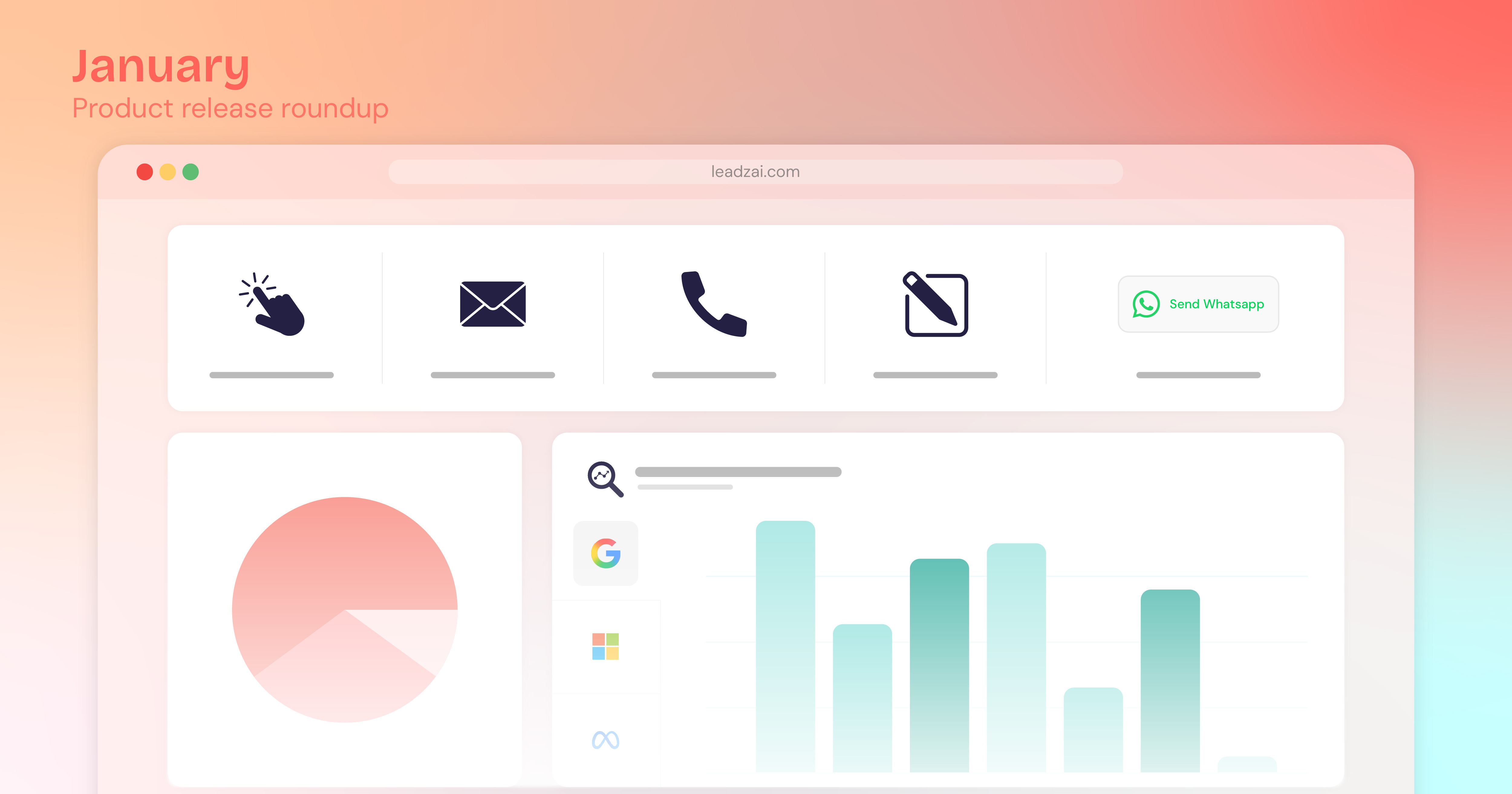
We’ve enhanced Leadzai’s tracking and reporting capabilities to deliver more accurate data and deeper insights into campaign performance. In addition to clicks, you can now track Conversions and Leads once tracking is properly installed.
In Leadzai, conversion is the umbrella metric, and leads are a specific type of conversion. The definitions below explain how results are captured and categorized across channels (Google, Microsoft Ads, and Meta).
Conversions
A conversion is counted when a user completes a meaningful action related to your ad and website, such as submitting a form, making a phone call, or sending an email. Conversions represent the overall success of an ad interaction. This information is helpful to the network to focus the campaign on traffic that actually has conversion intent.
Leads
A lead is a type of conversion where we capture output from a user engaging your business, for example, a phone call, email, or form fill. Leads provide a more granular view of conversion activity.
Leads in Leadzai:
- Phone Call Summary (If phone tracking provider is enabled)
- Form Submission
- E-Mail click
- Phone call click
- WhatsApp button
To track conversions & leads it is necessary for the Partner to:
- Install website tracking scripts correctly per advertiser.
- Call tracking requires a configured call-tracking provider.
It is now possible to:
- Leverage our updated call tracking provider integration to capture detailed conversation information and phone call leads.
- Automatically activate conversion as soon as the first lead is detected, ensuring your tracking is working as expected.
- Each event has a unique identifier and our system prevents duplicate lead records and ensures data consistency.
In the UI, you will find the following changes:
Reorganized the Campaign Dashboard header and introduced a new conversion path for better performance visualization.
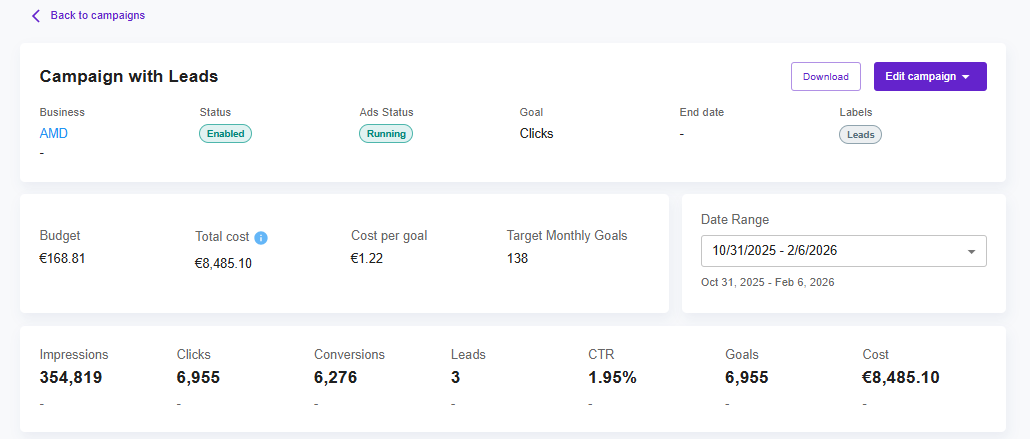
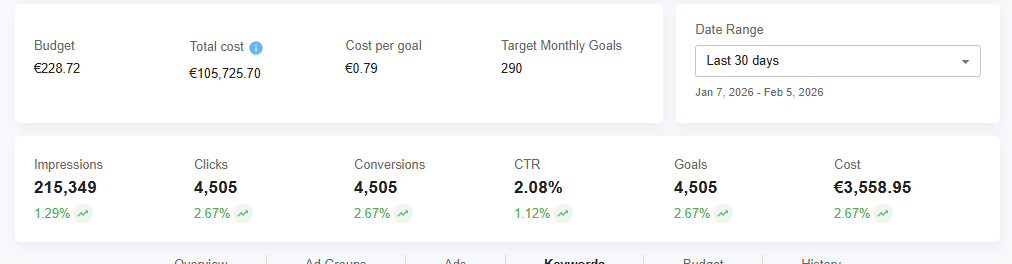
View total Campaign Leads as a combined sum of call and non-call leads, with accurate table matching and comparisons to previous periods.
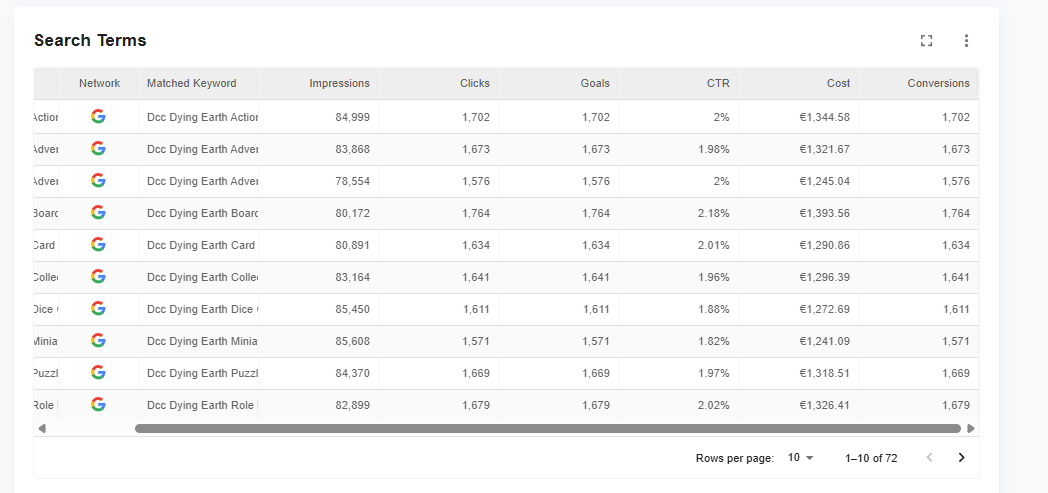
Renamed columns in the Keywords and Search Terms tables to accurately distinguish between Conversions and Leads.
Tracking can be individually enabled per campaign. You can find information about generating and installing tracking on our Help site here.
If you use a single website provider across multiple client websites, contact your Partner Manager to discuss a scalable tracking setup using a plugin.
Precision Targeting: New AI-Targetting Location MagicBox to Google, Meta and Microsoft Ads
Leadzai’s core location intelligence has been upgraded to provide a unified bridge between Google Maps data and platform-specific targeting. This feature is automatically rolled out to all partners and operates entirely in the backend, with no visible changes in the UI.
It is now possible to:
- Better target geographies across networks, reducing targeting imprecise areas.
- Synchronize Google Maps data with the specific requirements of each individual network using highly accurate mapping.
- View consistent location data in all reports, regardless of what network generated that lead.
- Automatically maintain campaign momentum using intelligent "radius-zoom" technology if an exact match cannot be identified.
Location Extensions Update
Location Extensions can now be linked to the advertiser’s Google Business Profile (GBP) to enhance campaign performance and data connectivity.
A location extension is a feature that lets you show your business’s physical location directly in your ads. It’s mainly used in Google Ads, and it’s especially useful for businesses with physical locations or service areas.
With this release, we have automated the process of linking location extensions to an advertiser’s Google Business Profile (GBP). To take advantage of this feature, the partner needs to share their GBP business group and grant Leadzai Manager access. We then search within that business group for the advertiser, using a unique identifier such as the advertiser’s phone number. Once a match is found, we retrieve additional details, including the location’s unique ID and Maps URL, which are used to populate the location extension.
When location extensions are enabled with Google Business Profile linked, your ad can show:
- Photos associated with the GBP
- Reviews
- Operating Hours
- Distance to the location
- Directions to the location
- Call Button
So instead of just an ad, users immediately see where you are and how to reach you.
Location extensions will appear in:
- PMAX, Display, Search ads
- Google Maps
- Mobile results with “Get directions”
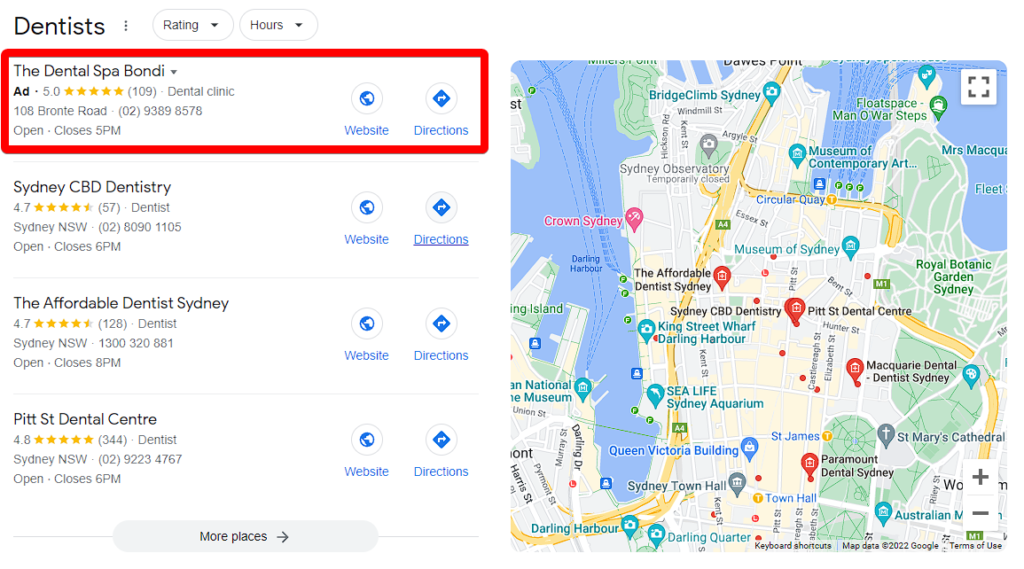
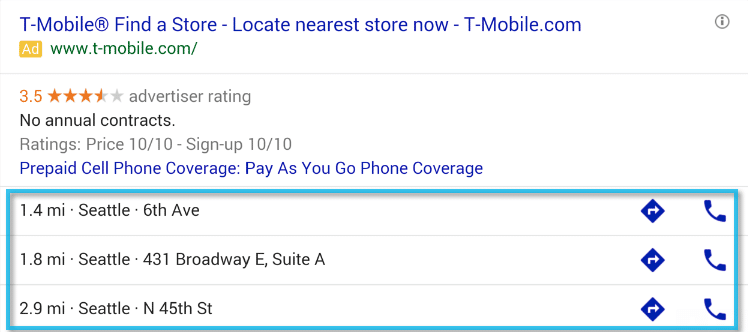
Locations Extensions matter because they help:
- Drive store visits
- Increase calls
- Improve local relevance
- Drive higher engagement and boost CTRs by providing users with verified business details that make your business more trustworthy and actionable
Note: Location extensions are optional - campaigns will still run without them.
Multichannel to get more results - faster!
We’ve optimized our AI-budget allocation to ensure a faster start for newly activated networks. The platform now ensures that all channels have an equal opportunity to deliver results immediately upon activation, allowing your campaigns to scale across multiple networks more efficiently from day one.
It is now possible to:
- Once a new campaign network is added to a campaign, the history is forgotten so that all networks have again equal chance to perform.
- The performance that is observed from each network will throughout time shape the distribution again for better results.
Platform UX
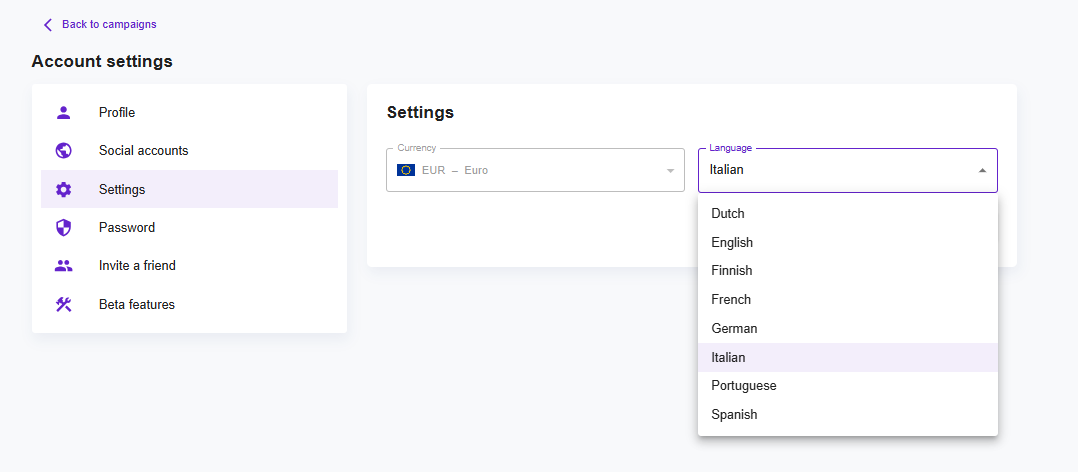
Platform Languages:
- The Leadzai platform is now fully available in Italian.
Improved Ad Group Management with Instant Updates
Previously, when ads within an ad group were created, updated, or deleted, the UI did not automatically refresh. As a result, changes were not immediately visible.
With this update, synchronization has been improved to keep the Ad Group view fully in sync at all times. Any ads created, updated, or deleted across Google, Meta, or Bing will now appear instantly in the Ad Group overview — no manual refresh required.
This feature is automatically enabled for all partners at the campaign level and helps Partner Service teams work more efficiently.
PMax Brand Guidelines
The platform now supports brand guidelines in all PMax campaigns, changing how brand identity is managed.
How it works: Previously, all assets (images, logos, and business names) were bundled together in the same Asset Group at the Advertiser level. However, Google automatically identifies core brand elements, such as the logo and business name, and enables brand guidelines at the Campaign level.
Previously this could cause issues when the same advertiser had multiple PMax campaigns. The platform now fully supports this distinction, placing general assets and brand guidelines exactly where Google expects them.
This update ensures a professional, consistent brand identity across every ad without manual fixes or technical interruptions.
It is now possible to:
- Centralize business names and logos at the campaign level, ensuring a unified brand identity across all ad groups.
- Benefit from smoother synchronization as the system now proactively detects and adapts to Google’s brand guideline migrations.
- Support a wider range of brand elements, including landscape logos and specific visual styles like colors and fonts, to ensure automated ads respect brand standards.
Faster Image Selection in Andorra
Image selection timing within the Andorra generation (Leadzai's campaign content generation system) system has been improved by 95%.
The flow that leads to the selection of available images for a campaign, is now divided into parallel tasks. Having the tasks executing in parallel allows the campaign images to be ready almost instantly, resulting in a faster overall ad generation process.
We’re excited to keep improving Leadzai with tools designed to support your work and drive stronger results. If you have any questions or feedback about these new features, feel free to contact your Partner Manager or partner@leadzai.com.
Thank you for being a valued partner—we look forward to your thoughts.


.jpg)